






Integrating Video Chats into Your App: Technology, UX, and Moderation for Safer Growth
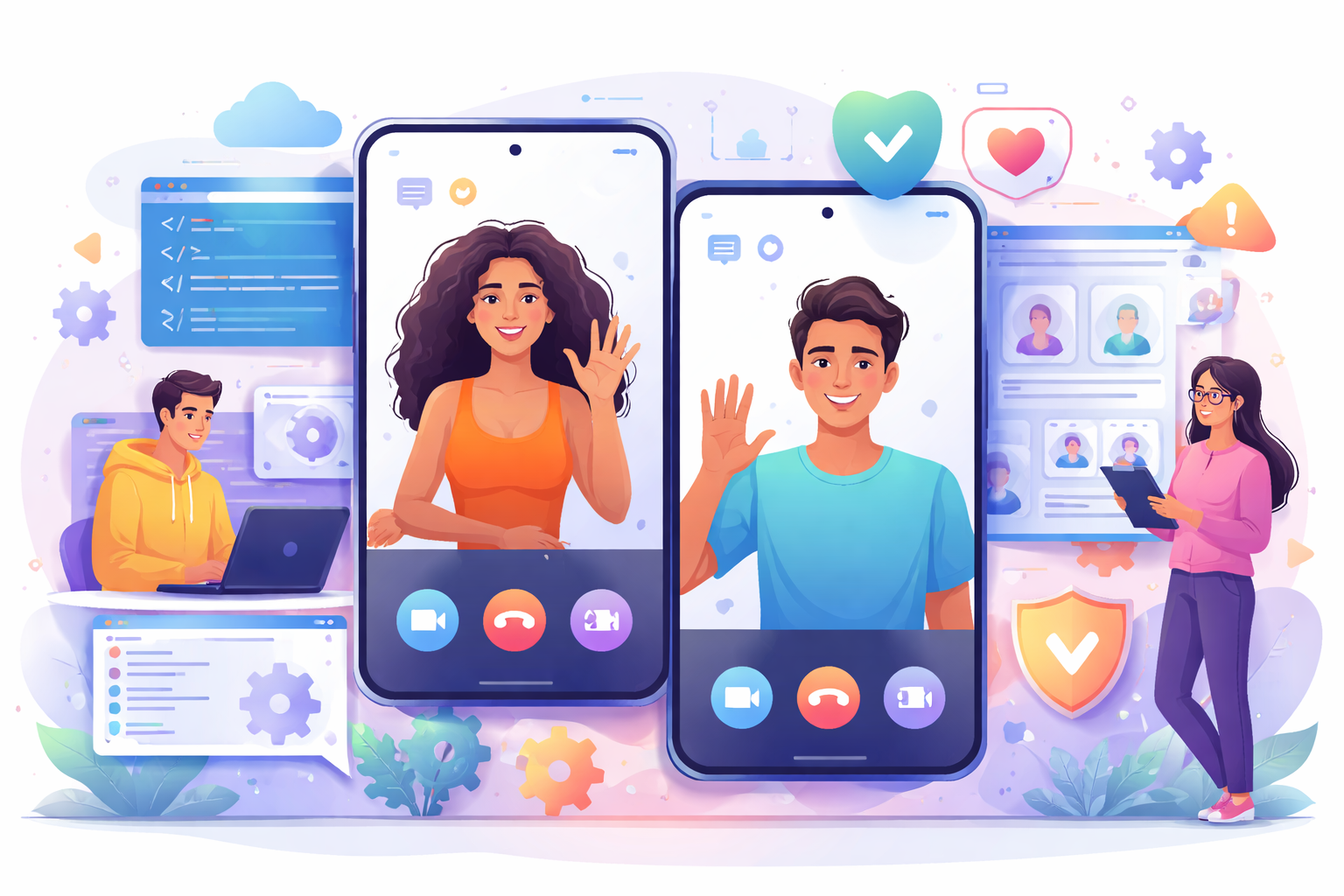
A few years ago, in-app video calling looked like a feature for “later.” Teams added it when the product had already found its place in the market, built an active user base, and started thinking about extra retention scenarios. Today, the situation is different. Users expect communication to feel fast, natural, and seamless. If they have to leave the app, find a third-party service, exchange contacts, set up a call, and then return, part of the magic disappears. Along with it, conversion often disappears too.
That is why integrating video chats into your app is no longer just a technical task. It is part of product strategy. This is especially visible in dating apps, social platforms, community-driven products, and services where users pay for interaction. Video chat shortens the distance between people, increases trust, helps them make decisions faster, and makes the product itself feel more alive. But these advantages come with a new layer of responsibility. It is not enough to launch video calling. You need to create an experience where the technology does not break the flow, the interface does not create tension, and moderation does not remain helpless in the face of toxicity.
At first glance, the task sounds simple: add video calls. In reality, it quickly turns into a chain of connected decisions. Which technology stack should you choose? Should you build on WebRTC or use a third-party SDK? How should the interface be designed so users do not feel lost? When should the call button appear? Which trust signals and restrictions should be built into the journey? What should happen when users face harassment, abuse, unwanted behavior, or repeated misuse of the feature? At that point, it is no longer enough to think only like a developer. You have to think like a product architect.
One of the most common mistakes teams make is treating video chat like an extra button in the interface. In reality, video calls change the entire nature of communication inside a service. They increase closeness, but they also raise the risk of conflict, stress, boundary violations, and negative experiences. Text chat gives people a pause. It allows them to step back and think. Video is more intense. That is exactly why a well-designed video chat can dramatically increase product value, while a poorly designed one can just as quickly damage trust.
Why In-App Video Chat Is No Longer a Luxury
Modern users dislike unnecessary steps. They do not want to leave an app, copy links, move to external services, and learn a new interface. They want to tap one clear button and enter a conversation. The more natural that path feels, the higher the chance the call will actually happen.
For apps built around communication, this is especially important. Video calling helps users move faster from curiosity to trust. In dating products, it becomes a tool for verifying that the other person is real, reducing the risk of interacting with fake profiles and creating a more emotionally rich connection. In subscription-based apps, video can also become a strong monetization lever. It makes premium features feel more tangible and makes the value of a paid plan easier to understand.
But there is another side to it. The more realistic and personal the communication becomes, the higher the expectations for quality. A user may forgive a small delay in text chat. They may tolerate a less-than-perfect animation. But lag, poor audio, camera failures, confusing controls, and a platform that feels powerless against toxic behavior leave a lasting impression. In this space, the cost of mistakes is higher than it first appears.
WebRTC or Third-Party SDKs: Where the Decision Begins
When a team starts building video calling, the first serious question is technology. In most cases, the decision comes down to two directions. Either you build on WebRTC, or you use a third-party SDK and rely on the provider’s infrastructure.
WebRTC is often seen as the more “real” engineering path. It gives you more control, allows deeper customization of call behavior, and lets you build a video layer around your own architecture. For a strong technical team, that is an attractive option. It is especially appealing to products that want to integrate video chat deeply into their own ecosystem, control data flows, develop unique call scenarios, and avoid overdependence on an external vendor.
But freedom almost always comes with complexity. WebRTC is not a magic button and not a ready-made video calling system. It is a foundation. You still need to solve signaling, session management, network resilience, TURN/STUN infrastructure, device compatibility, call quality analytics, recording, security, and administration. If a team underestimates the size of that effort, the project can stretch far beyond expectations.
Third-party SDKs follow a different logic. They offer a shorter path to a working solution. You get ready-made libraries, templates, baseline infrastructure, monitoring tools, and often a package of extra features that would otherwise need to be built separately. This approach is especially valuable when a product needs to enter the market quickly, test demand, validate hypotheses, and only then decide how deeply it wants to invest in its own stack.
There is no universal right answer here. There is only the right answer for your stage, your budget, your technical team, and your product ambitions.
When WebRTC Truly Makes Sense
WebRTC becomes especially powerful when video chat is not just another feature but a core part of the user experience or a strategic asset. If you want to build your own routing logic, create unusual call flows, fine-tune quality, control behavior at the protocol level, and integrate video deeply into internal processes, WebRTC opens those possibilities.
It is especially useful for products thinking long term. If you already know that video communication will become one of the central pillars of your platform, investing in your own architecture may pay off over time. You become less dependent on someone else’s roadmap, less constrained by someone else’s interface, and more able to shape the experience around your own audience.
But WebRTC should only be chosen when you truly have the resources to support it. Not only to build it, but to maintain, monitor, test, and improve it continuously across new devices and new scenarios. Many teams romanticize control, only to discover that control requires far more ownership than expected.
When Third-Party SDKs Win Without Debate
Third-party SDKs win when speed matters most. When the business does not need to spend years building the perfect system but needs to launch a working scenario, observe user behavior, and understand the economics of the feature. In these cases, an SDK is not a compromise. It is a rational choice.
It is especially strong for MVPs, startups, growth-stage products, and companies that want to focus on their own service logic instead of becoming a team that maintains a real-time media platform. An SDK helps a product move through the most dangerous stage faster: the period between an idea and actual usage. You get predictability, documentation, technical support, updates, and a faster path to resolving critical issues.
That does not mean this path comes without limits. It does. You may have less control over lower-level behavior, less freedom in unusual cases, and greater dependence on a vendor’s pricing model and roadmap. But for many products, that is still better than underestimating the complexity of a custom implementation and getting trapped in endless development.
WebRTC vs Third-Party SDKs: Not a Battle of Technologies, but a Strategic Choice
One of the biggest mistakes in comparisons is presenting the topic like a technical duel, as if the goal were to choose the “best” technology. In reality, WebRTC and SDKs often represent different strategies rather than different versions of the same tool.
If your product needs a fast launch, a predictable stack, and clear delivery timelines, an SDK usually looks stronger. If the goal is to create a deeply customized solution that grows alongside the unique logic of your platform, WebRTC becomes more attractive. If your team has limited experience with real-time communication, going directly into a fully custom build may be too risky. If your team is strong and the feature is strategically important, dependence on an external platform may start to hurt within a year.
That is why integrating video chats into your app should always begin not with the question, “Which option is more fashionable?” but with the question, “Which scenario are we trying to launch, in what timeframe, and with what business consequences over the next 12 to 24 months?” That makes the decision much more honest.
Video Call UX Starts Before the First Call
When people talk about video chat UX, they usually focus on the placement of controls during the call. But in reality, the user experience begins much earlier. It begins the moment a person notices that the app even allows a move to video.
That option has to be introduced carefully into the user journey. If the call button appears too early, it can create anxiety. If it appears too late, the user may never discover it. If the call prompt feels aggressive, it may be perceived as pressure. If it feels too passive, it may simply be ignored.
This matters even more in products where personal boundaries are especially important. In a dating app, video calling should not feel intrusive. It should feel like a natural step in an already developing interaction. Good UX in this space does not push users forward. It gently guides them toward a higher level of trust.
How to Design a Video Chat Interface That Does Not Annoy People
A video call interface rarely impresses users simply by being “good enough.” But it quickly becomes irritating if it is careless. This is one of those product layers where neutrality already counts as a win. Users should not have to think about how to mute themselves, switch cameras, end the call, or report abusive behavior. These actions should feel almost obvious.
The most important part of the interface is not visual beauty for its own sake. It is clarity of action. Controls should be visually understandable, large enough for mobile screens, and positioned where users expect them to be. People need to feel in control. They need to know that they can turn off the camera, mute the microphone, leave the call, report the other person, or block them at any moment. When that sense of control is unclear, anxiety rises.
There is also a more subtle UX layer. For example, call quality indicators matter. If the image starts freezing, users should not have to guess whether the problem is on their side or the other person’s. If the connection is unstable, the interface should communicate it clearly but calmly. If the platform can automatically fall back to a more stable mode, the interface should help users move through that moment instead of pretending nothing is happening.
The Pre-Call Stage: A Small Zone Where Major Conversion Is Lost
Before a call starts, a user almost always has a few seconds of internal hesitation. Am I ready? How do I look? Will they hear me? Will this feel awkward? Will someone nearby see something I do not want them to see? If an app ignores that internal barrier, it loses part of its conversions before the conversation even begins.
A strong pre-call flow helps reduce that tension. A camera preview, microphone check, a clear consent screen, and a gentle explanation of who will see the video and what can be turned off at any time are not minor details. They are real work on conversion and perceived safety.
Tone matters too. Users should feel that the system cares about their comfort instead of simply trying to push them into a call as quickly as possible. Sometimes one calm line of interface copy can lower the barrier better than a complicated mechanic ever could.
Video Chat Without Trust Signals Is Too Fragile
In dating apps, community services, and social products, trust is not built only through profiles and text chat. It needs to be present at every important step. Video calling is exactly such a step. If a person does not feel they are entering a safe environment, even strong technology will not save the experience.
That is why strong video chat UX always includes trust signals. These may include a verification badge, a visible report button, a reminder about communication rules, an indicator that the conversation can be ended in one tap, or a pre-call warning about unacceptable behavior. These elements do not need to feel heavy or intimidating. In fact, they work better when they are integrated calmly and naturally. But they do need to exist.
Users may not consciously notice these details in the moment. But they feel the difference very clearly between a space where safety was considered in advance and one where they are left on their own.
Fighting Toxicity Starts Before the Report Button
One of the most dangerous illusions in video chat launches is the belief that toxicity can be solved with a standard report button. Reports are necessary, but by themselves they rarely solve the problem. They only record what has already happened. And by then, the harm to the user is often already done.
An effective anti-toxicity system works differently. It starts with prevention. Who gets access to video calls in the first place? When is the feature unlocked? Is verification required? Are there restrictions for new users? How quickly can the system detect suspicious behavior? Can access to calling be limited until a manual review happens? Does the team have clear escalation rules? Can moderation intervene quickly?
Toxicity in video chats is especially dangerous because video amplifies the emotional force of every violation. Aggression, sexual misconduct, unwanted exposure, psychological pressure, extortion, and repeated intrusive calling all hit much harder than they do in text. That is why the protection layer has to be stronger too.
How to Build Moderation Into the Product Instead of Leaving It Behind the Scenes
Moderation is often treated as an operational function that lives somewhere in a separate panel for staff. In video chat, that is not enough. Moderation needs to be built into the product itself. That means safety scenarios are defined at the level of interface design, user roles, access logic, and incident handling.
For example, it is useful to decide in advance who is allowed to initiate calls and under what conditions. Can a brand-new user call immediately? Is mutual consent required? Are there limits on the number of call attempts? What happens if a person receives repeated reports? How quickly can a violator be restricted from using the feature? Can calling be limited to mutual matches, users on specific plans, or people with a certain trust level?
When these questions are answered early, moderation stops being an endless reaction to chaos. It becomes part of the product architecture. And that is a completely different level of maturity.
Responding to Violations During the Video Call
The hardest moment is the incident happening right now. A user is not going to read a long instruction at that point. They will not want to fill out a complex report form. In a stressful situation, they need a fast and simple exit.
That is why the most important safety actions should be immediately available during the call: end the call, block the person, report them. These actions should not be buried. They should not compete with decorative interface elements. Safety should be accessible within one or two taps.
The platform itself also needs to be ready in that moment. It needs to capture the event, connect the report to the session context, consider the user’s behavior history, and launch a clear review flow. In a mature product, violations do not exist as isolated events. They become signals inside a broader trust and safety system.
The Real Work Begins After the Call
A huge number of products lose control right after the incident. The report is submitted, the user receives a polite automated thank-you, and that is the end of it. That approach destroys trust. The person feels their problem disappeared into a void.
After the call, the system needs to work with the signal. It needs to gather session data quickly, connect reports to account history, distinguish between one-time conflict and repeated abuse, and decide who requires an immediate ban, who needs additional review, and where a warning or limitation is enough.
Mature moderation is always built around repetition and context. A single incident may be a mistake. A series of incidents is already a pattern. And it is these patterns that allow a platform to become safer not in theory, but in real user experience.
Call Quality Is Part of UX, Not Just Engineering
Teams sometimes spend time arguing over icon styles, button colors, or animation smoothness while forgetting the most important thing: if the call lags, all other efforts lose value very quickly. Users do not evaluate video chat by the elegance of its architecture. They evaluate it by how naturally the conversation flows.
Call quality is always a product issue. If the network is unstable, the user should not feel like the app is falling apart in their hands. The product should help: adapt quality, explain what is happening, recover gracefully after reconnection, and offer an alternative path if video is struggling. Sometimes a smooth fallback to audio is much better than stubbornly holding on to broken video.
There is also a psychological side to this. When the system behaves predictably, even temporary issues feel more manageable. When it freezes in silence, anxiety rises immediately.
The Mistakes That Most Often Ruin a Video Chat Launch
Most failed launches look surprisingly similar. The team decides too early that the task is finished. They launch calling from a technical point of view, but do not think through the user journey. Or they create a beautiful interface but fail to ensure stability. Or they build reasonable media quality but ignore safety. Or they give access to everyone when access should have been limited by trust logic.
Another common mistake is treating video chat like a neutral tool that fits every product the same way. In reality, context changes everything. In a dating app, a community product, an education service, a consultation platform, or a social entertainment app, video communication needs to work differently. The expectations, risks, and success criteria are not the same.
And then there is the strategic mistake: underestimating the cost of long-term support. Even a well-launched video chat does not live on its own. It needs to be measured, improved, adapted, protected, and connected to the rest of the product ecosystem. This is not a one-time feature. It is a long-term platform layer.
Why It Matters to Avoid Doing This Alone
When a team first approaches video chat implementation, the temptation to handle everything independently is strong. It seems like the main goal is simply to choose a technology, connect video calling, and design a neat call screen. But in a real product, it quickly becomes clear that video chat affects many more layers: monetization, safety, user journeys, support workload, moderation rules, and growth logic.
That is exactly why the Dating Pro team is ready to help with integrating video chats into your app at different stages, from choosing the right technology to designing UX, setting up moderation, and launching a working version of the product. Thanks to its own in-house development, ready-made solutions, and practical experience in the dating platform niche, Dating Pro helps reduce implementation costs, shorten time to launch, and avoid the typical mistakes that often appear in self-built video calling projects. This is especially important for products that need more than just a new feature. They need a stable, convenient, and safe video experience that strengthens user trust and supports monetization growth.
This kind of approach is especially valuable for projects that cannot afford to spend too much time experimenting blindly. The faster a team gets to a working and thoughtful scenario, the faster it can test demand, gather feedback, and turn video chat from a technical idea into a real growth tool.
Which Path Is Right for You
If your product needs a fast route to market, hypothesis testing, and minimal time to launch, it usually makes sense to look toward third-party SDKs. This is especially useful in the early stages, when it is more important to understand user behavior than to build a perfect infrastructure from day one.
If you already know that video chat may become one of the main drivers of retention, monetization, or product differentiation, then it may be worth thinking about a deeper custom architecture, including a WebRTC-based approach. But only if you truly have the team and resources needed to support such a solution in the long run.
If your product is built around sensitive communication, especially in the dating niche, then this decision cannot be made based on cost or speed alone. In that case, integrating video chats into your app has to go hand in hand with trust design, access restrictions, safety-focused UX, and full moderation workflows. That combination is what determines whether video chat becomes a competitive advantage or a new area of risk.
Conclusion
In-app video chat is a moment of truth for a product. It quickly reveals how mature your team really is. Can users trust you with personal interaction? Can you turn technology into a natural experience? Can you protect people not only with promises, but with a thoughtfully designed system?
That is why video communication should never be treated like just another module. It is not simply a camera, a microphone, and a call button. It is an architecture of communication that users feel on an emotional level. Engineering, design, behavioral psychology, and safety policy all meet here.
If the task is approached deeply, video chat can make an app feel more alive, more profitable, and more valuable to its audience. If it is approached superficially, it will quickly expose every weak point in the product. That is part of its unique power. Video chat does not hide platform maturity. It reveals it.
And when implementation is handled by a team that understands not only the code, but also the specific realities of dating products, launch becomes faster, more accurate, and more stable. That is the real value of a thoughtful approach: not simply turning video on, but turning it into a powerful product layer that helps the platform grow, retain users, and build trust from the first moments of interaction.