

Create a dating app on a ready platform — no programmer, no months of coding
The fastest way to create a dating app without code is to start from a working platform instead of an empty project. Dating Pro is a dating app builder: you get native iOS and Android apps plus a website that share one member base and one admin panel. Your platform is installed in 1–2 days, the app files are ready right after it, and store approval takes 7–40 days.
This page is for founders who want to build your own dating app and keep 100% of the revenue — we take no commission. Below you will find what exactly you get, the six steps from demo to App Store, real prices and timelines, and when it makes sense to ask our team for help.
- What a dating app builder gives you
- Native or Flutter apps
- How to build a dating app in 6 steps
- How much it costs — plan by plan
- How long it takes, day by day
- Do it yourself or let us publish
Free demo · No credit card · The demo loads in about 30 seconds
Why founders make a dating app with Dating Pro
The numbers below come from live Dating Pro platforms, not from a mock-up.

How to make a dating app without writing code?
You make a dating app without code by choosing a builder that already contains the hard parts — profiles, matching, chat, payments, moderation — and changing only your brand, niche and prices.
Searching how to create dating app or how to make dating app without a team? The first decision sets the budget: build from zero or build on a ready platform. There are three ways of creating a dating app, and they differ mostly in money and time:
1. From an empty project
You hire a team and pay for every screen. Custom work usually takes months and costs many times more than a ready platform. Useful if your idea has nothing in common with classic dating.
Step-by-step guide: how to build a dating app from scratch.
2. On a ready dating app builder
You start from a working product with a demo you can click today. You pay once for a lifetime license and get your platform installed in 1–2 days. This is the route this page describes.
3. Ready platform + our changes
You keep the builder as the base and order only the features that make you different. Details in the section “When to ask our team” below.
Takeaway: if your plan is a normal dating product for a niche — seniors, a religion, a city, a hobby — building a dating app on a ready platform saves months: you do not build dating app basics like chat and payments a second time.
What do you get when you build your own dating app with Dating Pro?
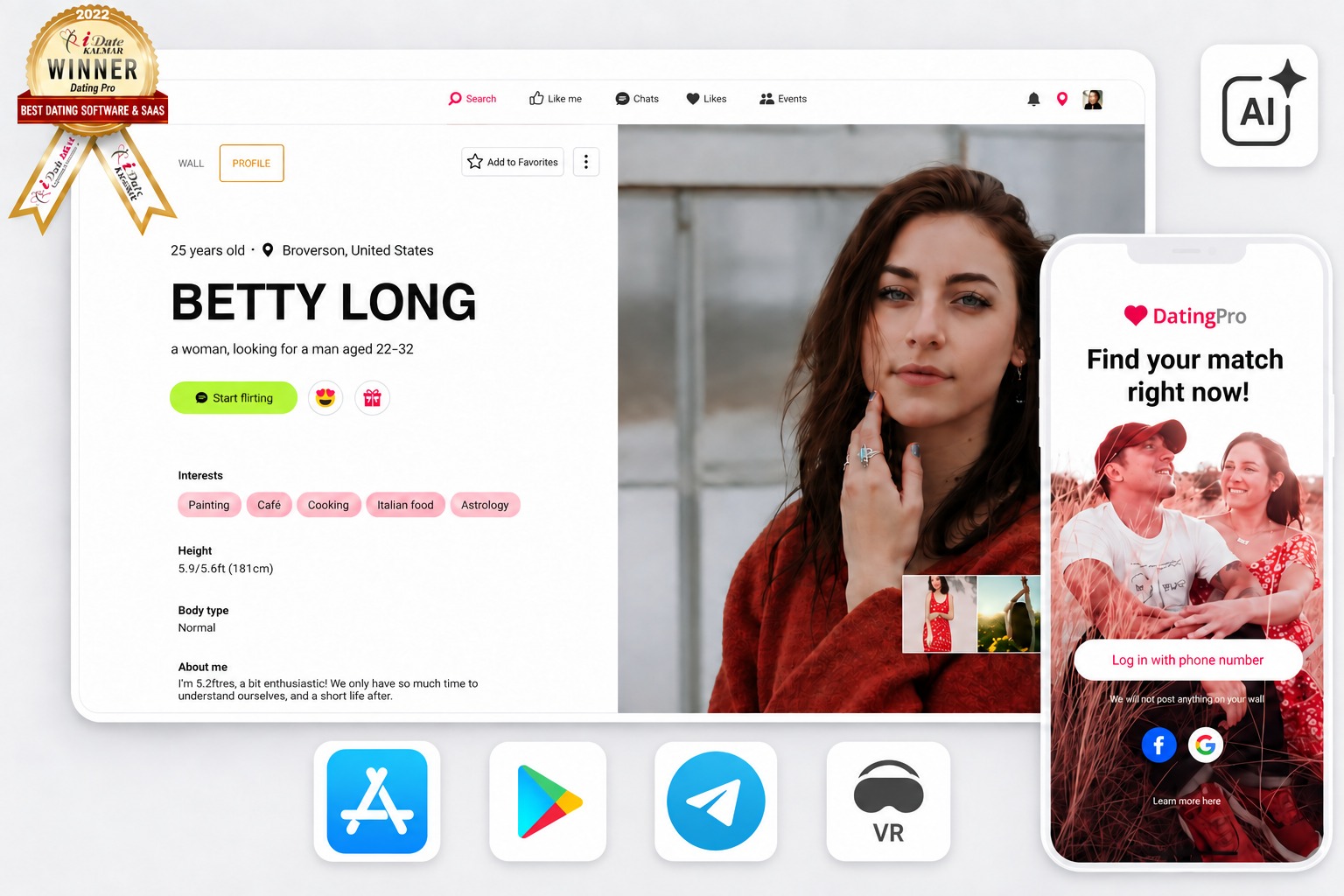
When you create dating app versions with Dating Pro, you get three connected parts: mobile apps for your members, a website that also works on phones, and an admin panel where you run the business.
Mobile apps for iOS and Android
Native apps for iPhone and Android phones. Members, access rights and chats sync with the website in real time, so one person sees the same matches everywhere.
Website on every device
A ready website (PWA) that opens in any browser on a phone, PC, tablet or TV. It is also your fastest channel: live in 1–2 days while the apps wait for store review.
Admin panel and dating funnel
You control every step from sign-up to a paid match: memberships, superlikes, profile boosts, moderation and reports. Each function moves a member to the next stage of dating.
Features members use every day
- Swipe to like or skip. Two people can start chatting only after both like each other.
- Detailed profile. Photos, a personal story and what the member expects from a date.
- People nearby. An interactive map finds members within a chosen radius from the current location.
- Video calls. Turn on video chat for all members.
- Paid memberships and boosts. Subscriptions, superlikes and profile boosts help profiles get seen faster.
- In-app payments. Members pay inside the app, and the revenue is yours.
This is part of the list. The full list of 300+ features is on the pricing page.
Native or Flutter: which dating app builder version should you choose?
Choose the native apps if you want to launch with the full feature set now; choose Flutter if you plan at least two months of your own changes.
| Native apps | Flutter app | |
|---|---|---|
| Best for | Launching fast with everything included | Projects with 2+ months of custom changes |
| Features | All key features: subscriptions, in-app payments, video calls and more | Core dating features; needs interface work to match the native set |
| Code | Swift for iOS, native code for Android | One Flutter codebase for iOS and Android; changes go about 1.5× faster |
| How to try | In the free Dating Pro demo | Demo on request |
How to build a dating app in 6 steps
To build a dating app on Dating Pro you try the demo, pick the plan with apps, receive the app files, prepare store accounts, submit and start earning — about 2 to 6 weeks to launch, mostly spent waiting for store review. This is how to make your own dating app on a ready platform.
Try the demo and check your niche
Open the free demo and go through it as a member and as an owner: sign up, swipe, chat, open the admin panel. If a feature for your niche is missing, write to us before you pay. Day 0 · free
Choose the plan with mobile apps
Mobile app files for iOS and Android come with the plan that includes apps; the entry plan is a website only. Compare the plans on the pricing page. Day 0
Receive the app files
We install your platform in 1–2 days and prepare the mobile app files right after it: the release build, with Firebase, Google Analytics, Google Maps and Facebook/Google sign-in connected using your credentials. Days 1–2
Prepare store accounts and texts
You open developer accounts at Apple and Google Play (each store charges its own registration fee), then prepare the app name (30 characters for iOS, 50 for Android), description, keywords, icons, privacy policy and support URLs. Our requirements checklist lists every item. 1–3 days of your time
Submit to the stores
You upload the build with our guides for App Store and Google Play, or we do it for you. Store approval takes 7–40 days and depends on app content and store rules. 7–40 days
Earn on memberships and make matches
Once the apps are live, members swipe, match and chat — and you earn on what they pay for: paid memberships, superlikes, profile boosts and in-app purchases. Dating Pro takes no commission, so the revenue is yours. In the admin panel you follow the dating funnel from sign-up to match to paying member and fix the step where people drop off; on Dating Pro platforms 8% of members reach the Match stage. From launch day
See the app before you pay
Click through the member app and the admin panel in the free demo.
Start for freeHow much does it cost to create your own dating app?
To create your own dating app on Dating Pro you pay once for a lifetime license — no monthly fee and no commission on your revenue — and choose whether to publish the apps yourself or let our team do it.
Entry plan
A ready website that works in every browser. No mobile apps. Good for testing a niche before you add apps.
Plan with mobile apps
Website plus app files for iOS and Android. You publish them yourself, for free, with our step-by-step guides.
Publishing add-on
We handle store accounts, review and approval. The final payment is due once your apps are live in App Store, Google Play, Samsung and Huawei, or after 40 days.
Paid to the stores, not to us: the Apple and Google Play developer registration fees.
What you do not pay: no commission on your revenue — the money members pay goes to you.
Current prices for every plan are on the pricing page.








How long does it take to build a dating app?
Building a dating app on Dating Pro takes 1–2 days to install your platform and 7–40 days for store approval of the apps; the waiting is on Apple and Google, not on coding.
| Stage | Time | Who waits |
|---|---|---|
| Platform installed and tested | 1–2 days (up to 7 on your hosting) | Our team |
| App files and release build | Right after installation | Our team |
| Store accounts, texts, icons | 1–3 days | You |
| App Store and Google Play review | 7–40 days | Apple and Google |
Do you need a programmer to start a dating app?
No. Here is how to start a dating app on Dating Pro without one: you need a laptop, store accounts and texts about your niche. The technical part — installation, release build, connection of Firebase and maps — is done by our team when you buy the apps.
What stays with you: the name, the niche, the prices of memberships, the store descriptions and marketing. Stuck at night? The support bot is free and answers about 70% of questions instantly; people from our team pick up the rest.
When should you ask our team instead of doing it yourself?
Do it yourself when the demo already covers your idea; ask our team when you need a feature the demo does not have or you do not want to deal with store review.
Publishing
 Publishing
Store review can reject an app on first submission. With the publishing service we handle accounts, screenshots, texts and approval, and the final payment is due only when the apps are live (or after 40 days).
Your own features
 Your own features
A special matching rule, a new payment method, an integration. Describe it and get an estimate before any work starts: request a free quote.
What do owners say about building a dating app with Dating Pro?
“Excellent software with a huge range of useful options available. After looking through various options to use as a platform for my new venture it was clear that Dating Pro was the superior choice. Since ordering, the communication from their team has been fast and helpful. There were a few things I needed to add and change and these have been dealt with efficiently. I am now working with them to develop the apps for Android and iOS before launching the site to the public. In summary, I would recommend this company without hesitation.”
Neil Stanton, Dating Pro customer · More success stories
Questions about creating a dating app
Start your dating app today
Open the demo, click through the app as a member and as an owner, and decide with facts in hand.
Free demo · No credit card · No commitment

- ROI calculator. Estimate your earnings
- Branding. Connect domain
- Dating website templates
- Explore free business tools
- Buy & sell dating sites and domains online
Solutions
- How to start a dating site or app — free niche preview
- Create a dating app (iOS, Android, web)
- Custom dating app development — done for you
- Dating software to build your own dating site
- Telegram dating bot
- White-label AI girlfriend builder — Candy AI clone
- Chat Operator 26 — Chatbot Software with AI Agents and Human Operators for Dating Platforms
- Chat Operator Dating Site
- Matchmaking software for your custom service
- Dating platform built for AI coding agents
Company details:
PE Evdokimov Ianar Yuri
Armenak Armenyakyan street 121/7, 0047, Yerevan, Armenia
Office Address:
🇵🇱 Poland: ul. Mazowiecka 11/49, 00-052 Warsaw
🇦🇲 Armenia: Armenakyan Street 121/7, 0047 Yerevan